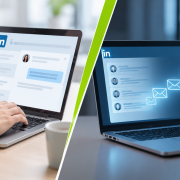
Manual vs Automated LinkedIn Outreach: Results, Risks and Reputation for UK B2B (2026)
Key Takeaway
Manual LinkedIn outreach means a named person sends every connection request and message from the profile. Automated outreach means third-party software does it. LinkedIn does not permit third-party automation software, so automation puts the account at risk, and templated messages tend to hurt replies. Manual is slower and lower volume, but it is safer and suits senior B2B buyers.
What Is the Difference Between Manual and Automated LinkedIn Outreach?
Manual LinkedIn outreach is when a real person researches each prospect, sends each connection request and writes each message inside LinkedIn’s own interface. Automated LinkedIn outreach is when software, such as a browser extension, desktop app or cloud tool, logs in to the profile and sends requests, follow-ups and often profile views on a schedule, using templates and merge fields.
There is also a middle route. A hybrid approach uses LinkedIn’s own products, such as Sales Navigator, for search and list building, while a person does all the sending. Many agencies that describe their service as “semi-automated” are describing one of the first two models with a tool attached. The useful question is not what the sales page says. It is whether anything other than a human touches the account.
Is Automated LinkedIn Outreach Allowed?
No. LinkedIn’s help centre says it does not permit third-party software, including bots, browser plug-ins and browser extensions, that scrapes or automates activity on the site, and it warns that members using such tools risk having their accounts restricted or shut down (LinkedIn Help: prohibited software and extensions). A second help page on automated activity takes the same position. Section 8.2 of the User Agreement is also widely read as banning bots and other unauthorised automated methods for adding contacts or sending messages, a point that even automation vendors such as Expandi acknowledge.
Breaking these terms is generally treated as a breach of platform rules rather than a criminal matter. The consequence is commercial: LinkedIn can restrict or close the account.
Is LinkedIn Automation Safe for Your Account?
No tool can promise zero risk. Even vendors say so: Salesflow’s own guide states that no third-party automation platform can guarantee an account will be safe. LinkedIn does not publish a safe daily volume, so any “safe limit” you see quoted is a vendor estimate, not a LinkedIn rule.
Vendors broadly describe a ladder of consequences: temporary feature limits, then identity verification and longer locks, and in serious or repeated cases permanent loss of the profile. One managed-service competitor reports that 23% of accounts using automation tools were restricted within 90 days in its own testing of 50 accounts (Cleverly, 2026). That sample is small and self-reported, so treat it as an indication rather than a measured rate. Vendors also agree that browser extensions are easier to detect than cloud-based tools, but that lowers the risk rather than removing it.
The risk matters more in B2B than in consumer marketing because the profile belongs to a person, often your managing director or head of sales. A restriction freezes the channel and can cut off live conversations with prospects. The cost is not the tool subscription. It is the network and the open conversations attached to that profile.
Does Automation Hurt Reply Rates and Brand Reputation?
Published benchmarks conflict, and most come from vendors selling either automation software or managed services. Some report automated messaging at low single-digit reply rates against far higher figures for manual outreach, while others argue that well-personalised automation matches or beats manual. The common ground is that targeting and message relevance drive replies more than who, or what, presses send. A generic template performs badly whoever sends it.
That is the real risk of automation to results. It makes generic messaging cheap enough to run at scale, and it removes the human check on whether a prospect is a genuine fit. Senior IT and finance buyers are contacted constantly. A request that obviously uses a merge field lowers trust in the sender’s brand, not just in that one message. And automation only sends the opener: a person still has to reply well, and quickly, or the conversation dies.
Volume is also less valuable than it looks. Here is an illustration (our own arithmetic, not a measured result): 1,000 invitations at a 30% acceptance rate and a 10% response rate produce 30 responses. 3,000 invitations at a 15% acceptance rate and a 5% response rate produce roughly 22. Tripling the volume does not help if the rates fall.
Manual vs Automated LinkedIn Outreach: Side-by-Side Comparison
| Factor | Manual (account manager) | Automated (third-party tool) | Hybrid (LinkedIn tools, human sending) |
|---|---|---|---|
| Who sends each message | A named person | Software on a schedule | A named person |
| LinkedIn’s rules | Within the rules | Outside LinkedIn’s stated rules on third-party software | Within the rules if only LinkedIn’s own tools are used |
| Account risk | Low; driven mainly by spam reports | Higher; restriction possible at any time | Low |
| Volume per profile | Limited by human time (about 50 invitations a day in our campaigns) | Many times higher, until restricted | Same as manual |
| Message quality | Researched and written per prospect | Template with merge fields | Researched and written per prospect |
| Handling replies | Same person, in context | A human must take over after the opener | Same person, in context |
| Brand risk | Low | Higher if messages read as templated | Low |
| Best for (our view) | Senior buyers, named account lists, considered purchases | Low-value, high-volume prospecting where losing the profile is acceptable | Teams that want better research without risking the account |
What Results Does Manual LinkedIn Outreach Deliver?
At Prospect Solutions, every LinkedIn campaign is run by an account manager using an individual profile. We target second-degree connections to lift acceptance, and there are no automation tools or bots involved. The sequence is three messages: a soft first message with a reason to connect, a business introduction with the value proposition, and a call to action. Our benchmark for a typical month on one profile, drawn from our LinkedIn lead generation service, looks like this:
| Stage | Approximate monthly volume | Conversion from previous stage |
|---|---|---|
| Connection invitations sent | About 1,000 (around 50 a day) | n/a |
| Invitations accepted | About 300 | About 30% |
| Responses to messages 2 and 3 | About 30 | About 10% of accepted |
| Qualified leads | 3 to 5 | Roughly 10 to 17% of responders |
These figures are approximate and vary by sector and audience. The lesson is that LinkedIn is a low-volume, high-relevance channel by design. Output depends less on how many invitations go out and more on who you reach and how well the conversation is handled once someone replies.
Is There a Safe Way to Use Software Around LinkedIn Outreach?
Yes, if the software never acts as you on LinkedIn. In our experience the safe uses are:
- Targeting: use LinkedIn’s own products, such as Sales Navigator, for search, saved lists and alerts, then send every message by hand.
- Data quality: build lists from verified data rather than scraped profiles, and clean them before use with data cleansing and verification.
- Record keeping: log conversations in your CRM yourself, or through integrations that LinkedIn supports.
- Follow-up: once a prospect has accepted and replied, move the conversation to the phone, which is where B2B appointment setting turns interest into a booked meeting.
What to avoid is any tool that logs in to your profile, runs as a browser extension, or collects profile data in bulk.
Are LinkedIn Messages Covered by UK Marketing Rules?
Yes, in part. The ICO treats direct messages on social media as electronic mail under PECR, and it warns that professional networking sites are not automatically business use, because many members use them in a personal, career-focused way (ICO business-to-business marketing guidance). UK GDPR applies to any personal data you collect from profiles either way. That is a further problem with automation: tools that scrape profiles into lists leave you holding personal data that people were never told about.
Record your lawful basis, which is often legitimate interests, honour objections straight away and keep your records tidy. The ICO says its guidance is under review following the Data (Use and Access) Act 2025, so check it before each campaign. For the phone side of the rules, see our guide to whether B2B cold calling is legal in the UK.
How Do You Choose a LinkedIn Lead Generation Agency?
Whichever model you prefer, ask a prospective agency these questions before signing:
- Is every connection request and message sent by a named person, or does software send any of it?
- Whose profile is used, and who owns the connections and conversations if we stop?
- How many invitations a day will you send from one profile, and how do you know that is sustainable?
- What happens to our campaign if the account is restricted, and who carries that cost?
- Who replies to prospects, and do they have the seniority and sector knowledge to hold a credible conversation?
- How do you handle UK GDPR, objections and data sources, and are you ICO registered?
If an agency promises thousands of connections a month from a single profile, ask directly how that is achieved.
How Prospect Solutions Can Help
Prospect Solutions is an ICO registered B2B telemarketing and lead generation specialist. Our LinkedIn lead generation service is manual and account-manager-led, so your profile is never exposed to bots or extensions, and it works best alongside our B2B lead generation and appointment setting services, where the phone converts the interest LinkedIn creates. Talk to our team about a campaign for your market, and we will tell you honestly whether LinkedIn is the right channel for your buyers.
Frequently Asked Questions
Is automated LinkedIn outreach against LinkedIn’s rules?
Yes. LinkedIn’s help centre says it does not permit third-party software, including bots, plug-ins and browser extensions, that automates activity on the site, and warns that accounts can be restricted or shut down.
Can LinkedIn detect automation tools?
LinkedIn says members using such tools risk restriction. Vendors describe detection based on unusual activity patterns, volume and browser signals, but LinkedIn does not publish exactly how it detects automation, so no tool can be guaranteed undetectable.
What happens if LinkedIn restricts my account?
Vendors report a range from temporary feature limits to identity verification and, in serious cases, permanent closure. If you see a warning, stop all third-party tools and follow LinkedIn’s instructions. Open conversations on that profile may be interrupted while the restriction lasts.
Is manual LinkedIn outreach worth it compared with automation?
For senior B2B buyers and named account lists, usually yes. Manual outreach is slower, but it keeps the account within LinkedIn’s rules and allows researched, relevant messages. Automation is cheaper per message but carries account and reputation risk.
How many leads can manual LinkedIn outreach generate?
In our own campaigns, about 1,000 invitations a month on one profile produce around 300 acceptances, 30 responses and 3 to 5 qualified leads. Results vary by sector, audience and message.
Is Sales Navigator a LinkedIn automation tool?
No. Sales Navigator is LinkedIn’s own product for search, lead lists and alerts. Sending messages from it is still a manual action, which is why it fits a hybrid approach.
Should I outsource LinkedIn outreach or run it in-house?
In-house works if someone has protected time and sector credibility. In practice, outreach is the first task dropped when the diary fills, which is why many companies outsource it.
Last updated: 13 November 2026. Disclosure: Prospect Solutions runs manual, account-manager-led LinkedIn outreach, so we have a view. We have tried to separate what LinkedIn and the ICO actually say from vendor claims and from our own campaign experience. This guide is general information, not legal advice.